


Crash Arcade Support
Need help with your account, payment or game? Create a support ticket from your Crash Arcade account. Tickets are tied to your player ID, which means the team can see the activity you are asking about rather than guessing.
Contact Support For
Most questions are resolved faster when you include your player ID and the exact date and time of the activity.
Account questions
Registration, player ID, username and account status.
Login problems
Password resets, device sessions and access issues. Login guide.
Verification issues
Email verification and KYC approval. KYC guide.
Deposit questions
Payments that have not credited. Deposit guide.
Withdrawal questions
Pending payouts, refunds and payout references. Withdrawal guide.
Wallet discrepancies
Statement entries you do not recognise. Statement guide.
Game-related questions
Round outcomes, settlement and game rules. All games.
Responsible-gaming assistance
Limits and self-exclusion. Get support.
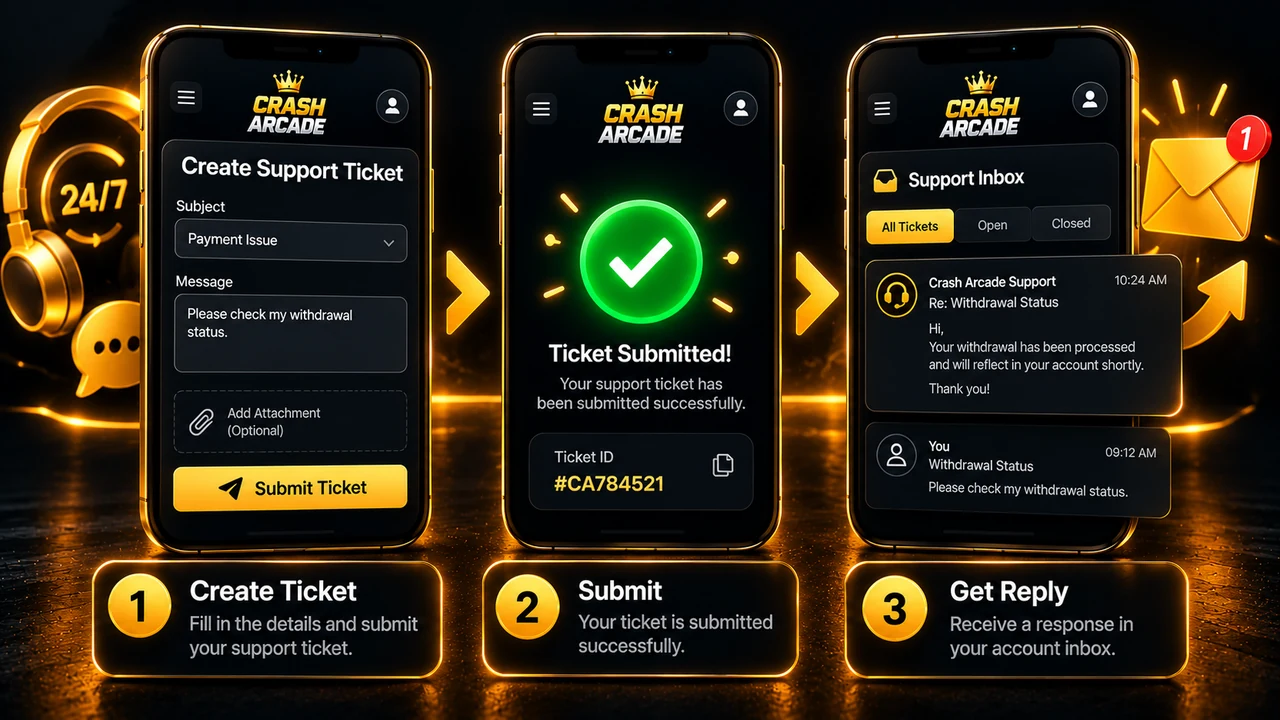
How support tickets work
- Open Support from your Crash Arcade account.
- Create a new ticket.
- Choose the relevant issue.
- Describe what happened.
- Include useful transaction information where appropriate.
- Submit the ticket.
The operator can respond through the support panel. Your reply appears in your Crash Arcade Inbox, alongside deposit updates, withdrawal updates and VIP notifications.
What to include in a ticket
- Your player ID — the
CA-12345678identifier issued at registration - The exact date and time of the activity you are asking about
- The amount involved, if it is a payment question
- The game and round, if it is a gameplay question
- The UPI reference, if a deposit or withdrawal is involved
- What you expected to happen and what happened instead
Never include your password
Crash Arcade support should never need your password, your email verification code or your password-reset code. Do not put them in a ticket, and treat anyone who asks for them as an attacker. Account security.
Check these before raising a ticket
| Issue | Check first |
|---|---|
| Deposit has not credited | Wallet statement, then your payment app history |
| Withdrawal not received | Withdrawal guide and your account Inbox |
| Cannot deposit or play for real money | Email verification — see verification |
| Withdrawal option unavailable | KYC approval status — see KYC |
| Bonus has not appeared | Bonus terms and your account Inbox |
| Balance lower than expected | A held withdrawal amount in your statement |
| Cannot log in | Login and password reset |
A large share of tickets are answered by one of those pages, and checking first usually gets you an answer faster than waiting for a reply.
If you need help with gambling itself
Support can assist with responsible-gaming tools: daily wager limits, daily loss limits, reality checks and self-exclusion of between 1 and 365 days. Self-exclusion is enforced on the server rather than only on the local device. If gambling is affecting your finances, work, relationships or wellbeing, use those tools now rather than after the next session.
Frequently Asked Questions
How do I contact Crash Arcade support?
What should I include in a support ticket?
Where do support replies appear?
Will support ask for my password?
My deposit has not credited — should I raise a ticket immediately?
Can support help me stop playing?







Ready to start with ₹300 free bonus credit?
Create an eligible Crash Arcade account, verify your email and claim the current ₹300 signup promotion. Prefer to practise first? The ₹2,000 demo balance needs no deposit at all.